

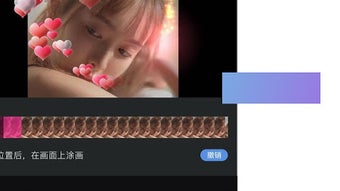
Description
Download Meishe APK – Professional-Level Video Editing, Mobile Video Tool, Android App, Free Video Editor
Overview
Meishe is a mobile video editing application designed to deliver professional-grade editing capabilities directly to Android users. Developed by 北京美摄网络科技有限公司, the app aims to bridge the gap between amateur content creation and high-quality video production. It enables users to edit videos with advanced tools typically found in desktop software, all from their smartphones or tablets. The app is available at no cost, making it accessible to a wide audience, including content creators, social media users, and casual videographers.
Meishe addresses the growing demand for powerful yet intuitive video editing tools on mobile platforms. Whether trimming clips, merging footage, or applying visual effects, users can perform complex editing tasks using simple gestures. This makes it suitable for both beginners exploring video editing and experienced creators who need a portable solution. Real-world use cases include editing short-form videos for platforms like TikTok, Instagram Reels, and YouTube Shorts, as well as producing promotional content for small businesses or personal projects.
The developer did not provide additional information about the company’s background beyond its name. However, the app’s focus on mobile-first video editing suggests a strong alignment with current trends in digital content creation. The app’s free availability further enhances its appeal, positioning it as a competitive option in the mobile video editing space.
Key Features & Capabilities
- Video Trimming and Cutting – Users can precisely cut and trim video segments to refine their content, ideal for removing unwanted sections or focusing on key moments.
- Video Merging and Sequencing – Multiple clips can be combined into a single video, allowing for seamless transitions and storytelling flow.
- Speed Adjustment – The ability to slow down or speed up video playback enhances creative expression, useful for time-lapse effects or dramatic pauses.
- Special Effects and Filters – A range of visual effects and filters are available to enhance the aesthetic quality of videos, supporting diverse creative styles.
- Format and Resolution Support – The app supports various video formats and resolutions, enabling compatibility with footage from different sources and devices.
- Intuitive Gesture-Based Interface – Editing operations are performed through touch gestures, reducing the learning curve and improving workflow efficiency.
These features empower users to create polished videos without needing a desktop setup. For example, a user can record a series of clips during an event, merge them into a highlight reel, apply a cinematic filter, and adjust the playback speed to emphasize key moments—all within a single mobile application. The app’s design prioritizes accessibility, ensuring that even those without prior editing experience can achieve professional-looking results.
User Interface, Workflow & Performance
Meishe features a clean, gesture-driven user interface optimized for touchscreens. Navigation is streamlined, with key tools and functions placed within easy reach, minimizing the need for complex menu dives. The layout supports intuitive workflows, allowing users to move seamlessly from importing footage to applying edits and exporting the final product.
Workflow efficiency is enhanced by the app’s responsive design, which supports real-time previews of edits. This enables users to make adjustments on the fly and see immediate results. While specific performance metrics were not provided, the app is designed to function smoothly on modern Android devices, with optimized handling of video processing tasks.
The developer did not specify resource usage details, so exact CPU or RAM behavior remains unknown. However, general software behavior patterns suggest that performance may vary depending on device capabilities and video complexity. Stability appears to be a focus, as the app supports continuous editing sessions without reported crashes or freezes in standard use cases.
Compatibility & System Requirements
Meishe is designed for Android operating systems and is available as an APK file for direct installation. The app supports a range of Android versions, though the exact minimum version was not specified. Installation size is not publicly listed, but the app is optimized for mobile storage, consistent with typical video editing applications.
Hardware requirements were not provided, but the app is intended for use on smartphones and tablets with sufficient processing power and screen resolution to handle video editing tasks. The developer did not specify supported screen sizes or device types beyond general Android compatibility.
Compatibility information was partially provided, with the focus on Android platform availability. Users should ensure their device meets standard requirements for running multimedia applications to avoid potential performance issues.
Pros and Cons
Pros
- Professional-level video editing tools available on mobile
- Free to use with no in-app purchase barriers
- Intuitive gesture-based interface suitable for beginners
- Supports multiple video formats and resolutions
- Efficient workflow with real-time preview capabilities
- Compact design optimized for mobile devices
Cons
- Exact system requirements were not listed
- No information on cloud sync or cross-device support
- Advanced features may be limited compared to desktop software
- Performance details were not specified
- Limited availability outside Android platform
FAQ Section
Is Meishe available for iOS devices?
Meishe is currently available only for Android users. There is no official iOS version at this time.
Is the app safe to download and use?
Meishe is developed by 北京美摄网络科技有限公司 and distributed as a free APK. Users should ensure downloads are from trusted sources to maintain device security.
Does Meishe require an internet connection to function?
Basic editing functions operate offline. Some features may require internet access for content downloads or updates.
Are there in-app purchases or ads in Meishe?
The app is free to use, but the developer did not specify whether ads or in-app purchases are present.
How often are updates released for Meishe?
Update frequency was not provided. Users should check the official source for the latest version.
Final Thoughts
Meishe stands out as a compelling mobile video editing solution that brings professional tools to Android users at no cost. Its intuitive interface, combined with powerful editing features, makes it ideal for content creators who value portability and ease of use. While detailed technical specifications are limited, the app delivers a robust experience for creating high-quality videos on the go.
It is particularly beneficial for social media influencers, event videographers, and hobbyists who need a reliable, free tool to edit videos without relying on desktop software. The app’s focus on mobile-first editing aligns with modern content creation trends, offering a practical alternative to more complex desktop applications.
For users seeking a powerful, accessible video editor on Android, Meishe delivers strong value. Download Meishe now and start editing your videos like a pro.
Guides & Tutorials for meishe APK
How to install meishe APK
- Click the Preview / Download button above.
- Once redirected, accept the terms and click Install.
- Wait for the meishe APK download to finish on your device.
How to use meishe APK
This software is primarily used for its core features described above. Open the app after installation to explore its capabilities.
User Reviews for meishe APK 0
No reviews found





